
Autocorrect
Blank corrects what you type the way Word and LibreOffice do. Most corrections apply once the word is complete: when you type Space, Tab, Enter or one of . , ; : ? ! after it. (c), (r) and (tm) turn into their symbol as soon as you type the ). All of this works anywhere in the text, not only at the end of a line.
- Undo (
ModZ) reverts the last correction and keeps what you typed. That goes for block shortcuts too: one undo turns a new list or heading back into the-or#you typed. - Nothing is corrected inside code blocks or inline code.
- Every group below can be turned off, and you can add your own replacements.
What gets corrected
| You type | You get | Group |
|---|---|---|
--> -> / <-- <- / <--> <-> | → / ← / ↔ | arrows |
==> / <== / <==> | ⇒ / ⇐ / ⇔ | arrows |
A - B, A -- B / A--B | A – B / A—B, the dashes of the language | dashes |
(c) (r) (tm) ... | © ® ™ … | symbols |
1/2 1/4 3/4 +- != <= >= | ½ ¼ ¾ ± ≠ ≤ ≥ | symbols |
**bold** *italic* _italic_ `code` | bold italic italic code | formatting |
[title](url) /  | a link / an image, if the link survives saving | links |
https://…, www.…, name@example.com | a link | links |
"quotes" and 'quotes' | typographic quotes of the language, e.g. “…” or „…“ | quotes |
hello. this | Hello. This (sentence starts) | capitalize |
THe | The | capitalize |
i (in English) | I, but i.e. stays as it is | capitalize |
Quotes and apostrophes
An apostrophe stays an apostrophe, so don't, l'heure or C'est get a typographic ’ even inside a quotation. When a word ends a quotation in single quotes, the closing quote of the language is set once the word ends: in German, 'Haus' shows ‚Haus’ while you type and becomes ‚Haus‘ as soon as you type Space or a punctuation mark. In Italian, 'l'uomo' becomes “l’uomo”.
Links
[title](url) and  only turn into a link or an image when the link survives saving and reopening the file, just like in the link dialog (Mod K). Links such as javascript: or file: stay as you typed them, so nothing disappears when you open the file again. URLs in quotes or brackets, like „https://blank.app“ or [https://blank.app], are linked without the quote or bracket. A bracket that belongs to the URL, as in https://en.wikipedia.org/wiki/Blank_(disambiguation), stays part of it.
Dashes follow LibreOffice: the dash is set once the word after it is complete, so -- followed by Space does not become a dash on its own. Which dash you get depends on the language, e.g. English sets A – B and A—B, Russian A — B.
The block shortcuts at the start of a line, like # or -, are the group blocks.
Language
Quotes, sentence capitalization and dashes follow the language shown at the bottom right. Blank picks your system language on first start.
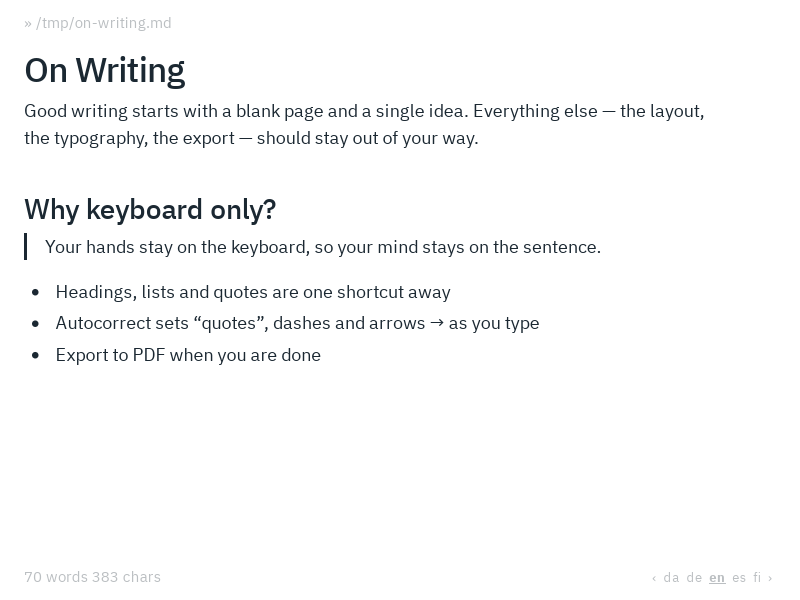
To choose another one, press Mod Alt L or click the language. Then pick one with ← / →, or type a two-letter ISO 639-1 code such as de, and confirm with Enter. Esc cancels. Keep typing for a regional variant, e.g. dech for Swiss German: autocorrect follows the rules of the language, and spell check uses the variant's dictionary.
Blank has its own rules for Czech (cs), Danish (da), Dutch (nl), English (en), Finnish (fi), French (fr), German (de), Italian (it), Norwegian (no), Polish (pl), Portuguese (pt), Russian (ru), Spanish (es) and Swedish (sv). Other languages use the English rules and are marked with *.