
Writing in Blank
Blank shows your text as it will look, not as markdown syntax. There are no toolbars: you format with keyboard shortcuts or by typing markdown, which Blank turns into formatting as you go.
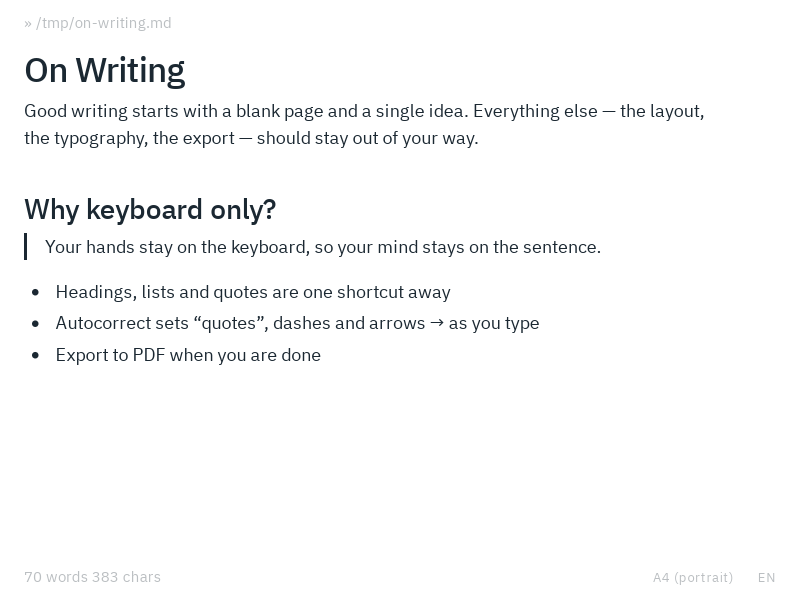
Format as you type
At the start of an empty line, type one of these to turn the line into a block:
| Type at the start of a line | Then | You get |
|---|---|---|
# … ###### | Space | Heading 1–6 |
- * + | Space | Bullet list |
1. (any number) | Space | Numbered list |
> | Space | Blockquote |
--- *** ___ | Enter | Horizontal line |
+++ | Enter | Page break |
``` or ```lang | Enter | Code block |
| Name | Qty | | Enter | Table |
Changed your mind? Mod Z right away gives you back the line as you typed it.
Inline markdown works too: **bold**, *italic*, `code`, [title](url) and plain URLs become formatting once you finish the word. See Autocorrect for everything Blank corrects.
Tables
Press Mod T, pick a size with the arrow keys and press Enter. Tab takes you from cell to cell and adds a row at the end. Tables has everything about making, filling and saving them.
Images
Press Mod Alt I to add an image where the cursor is. In the dialog, press Choose file… (Tab gets you there) to pick a picture from your computer, give it a short description and press Enter. Blank puts the picture into the document itself, so your markdown file stays a single file you can move, copy and send without losing images. Large pictures are scaled down to a size that still prints well.
Instead of choosing a file, you can also type an address into the dialog, or type  and a space right in the text:
- a web address, like
https://example.com/map.png, - a file next to your document, like
images/chart.png, which appears once the document has been saved, since Blank needs to know its folder, - any file on your computer, like
/home/me/logo.png.
These images stay where they are and the document links to them.
To change or remove an image, put the cursor right before or after it and press Mod Alt I again.
Images are as wide as they are in the file, up to the width of the page, and PDFs and Word documents include them at that size.
Blank remembers your document
Blank keeps what you write as you go, at least once a second and once more when you close the window, and restores it on the next start, together with the open file, the theme and the language. So you can close the window mid-thought without saving, and pick up right where you left off.
Save, open and export
Your documents are plain markdown files: Mod S saves, Mod O opens, also Word documents. To share a piece, export it as a PDF with Mod Alt P or as a Word document with Mod Alt W. Files & formats has everything about PDF and Word.
The status bar
The top of the window shows the open file, Untitled, or the Word document an untitled document was imported from. The bottom shows the word and character count, spell check while it is on, and the language.